Oven Timer & Clock Not Working? Complete Repair Guide Toronto
Oven timers and clocks are essential for precise cooking and convenience. When they malfunction, flash continuously, or won't set properly, it affects your cooking schedule and oven functionality. Here's your comprehensive guide to diagnosing and fixing timer and clock problems.
Quick Answer: Oven clock flashing, timer not working, or time won't set? Learn to fix timer and clock issues. Expert oven timer repair in Toronto from JK Appliances.
Common Timer & Clock Problems
FLASHING CLOCK DISPLAY
Symptoms: Clock blinks 12:00, won't stop flashing, resets constantly Causes: Power interruptions, control board issues, backup battery failure Impact: Cannot use timed cooking functions, constant distraction
TIMER WON'T SET
Symptoms: Timer buttons don't respond, can't enter time, display frozen Causes: Control panel failure, membrane keypad issues, software glitches Result: Cannot use automatic cooking features
CLOCK RUNS FAST OR SLOW
Symptoms: Time gains or loses minutes, inaccurate timekeeping Causes: Crystal oscillator problems, voltage fluctuations, component aging Effect: Unreliable cooking times, scheduling issues
TIMER DOESN'T COUNT DOWN
Symptoms: Timer sets but doesn't decrease, stays at set time Causes: Software malfunction, control board failure, display issues Problem: Oven won't turn off automatically
ALARM NOT WORKING
Symptoms: Timer completes but no beep, silent operation Causes: Speaker failure, volume settings, control board problems Safety concern: May overcook food, potential fire hazard
Understanding Timer Systems
MECHANICAL TIMERS
Operation: Spring-wound mechanism with gear train Advantages: Simple, reliable, no power needed for timing Disadvantages: Less precise, limited features Common in: Older ovens, basic models
DIGITAL TIMERS
Operation: Electronic control with crystal oscillator Advantages: Precise timing, multiple functions, programmable Disadvantages: More complex, power-dependent Features: Multiple timers, delay start, automatic shutoff
INTEGRATED CONTROL SYSTEMS
Operation: Timer built into main control board Advantages: Full integration with oven functions Disadvantages: More expensive to repair Capabilities: Complex programming, multiple cooking modes
Diagnosing Timer Problems
INITIAL ASSESSMENT
Power Supply Check
- Verify oven has power - other functions work
- Check for recent power outages - may cause reset
- Test voltage stability - fluctuations affect timing
- Inspect power connections for looseness
Display Evaluation
- Note exact symptoms - flashing pattern, error codes
- Check display clarity - dim, partial, or distorted
- Test all display segments - some may be failing
- Observe during different operations
Button Function Test
- Press each timer button systematically
- Check for proper response - immediate vs. delayed
- Test button combinations - some functions need multiple presses
- Note any stuck buttons or poor contact
DETAILED TESTING
Clock Accuracy Test
- Set clock to correct time
- Compare to accurate timepiece after 24 hours
- Calculate drift rate - fast or slow
- Check consistency over multiple days
Timer Function Test
- Set timer for short period (5 minutes)
- Verify countdown operation - should decrease regularly
- Test alarm function - should sound when complete
- Check automatic shutoff - oven should turn off
Control Integration Test
- Test delayed start function if available
- Check cook time programming
- Verify temperature holds during timed cooking
- Test multiple timer functions if equipped
DIY Troubleshooting
POWER RESET PROCEDURE
- Turn off circuit breaker for 5 minutes
- Unplug oven if accessible
- Wait for complete discharge of capacitors
- Restore power and check operation
- Reset clock to correct time
CLOCK SETTING PROCEDURE
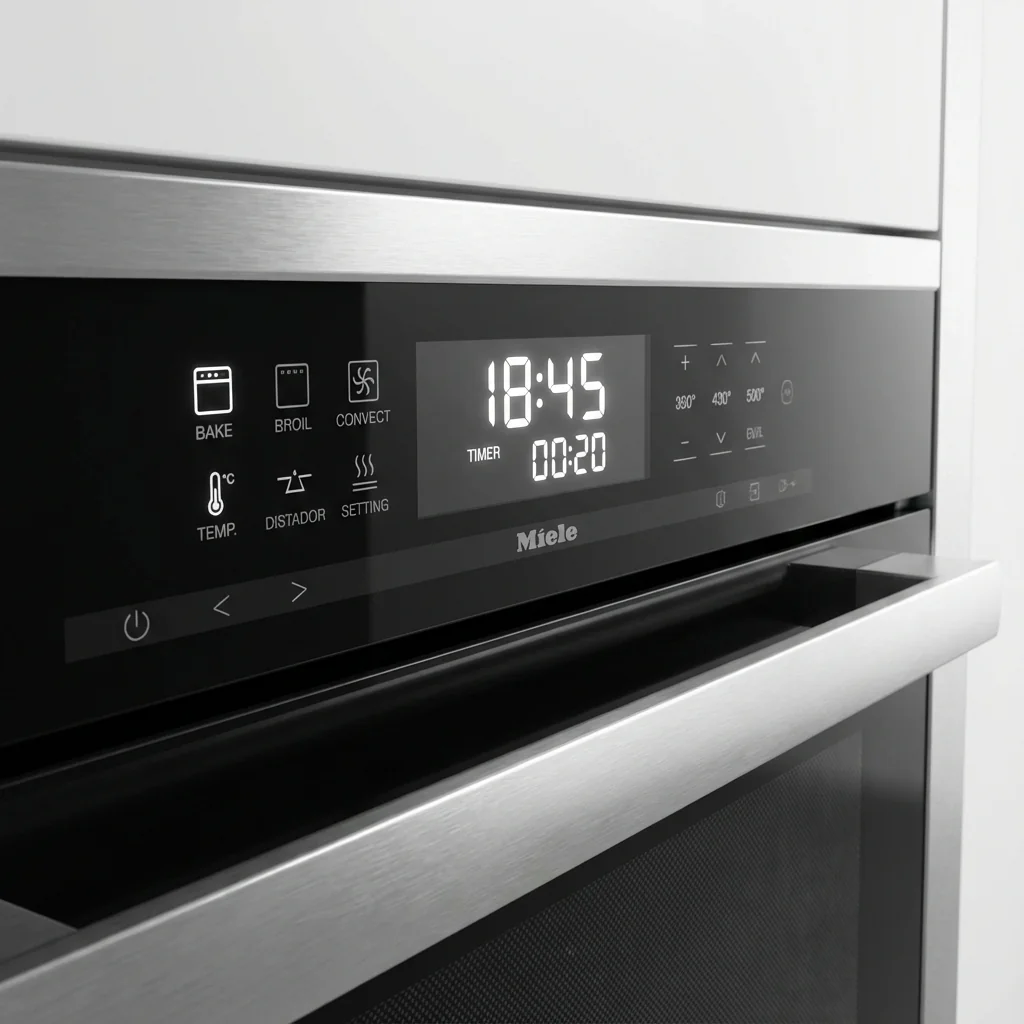
- Locate clock/time buttons on control panel
- Press and hold clock button (varies by model)
- Use + and - buttons to set correct time
- Press clock button again to confirm
- Check display stops flashing
TIMER CALIBRATION
- Access service mode (varies by manufacturer)
- Follow calibration procedure in service manual
- Adjust timing parameters if accessible
- Test accuracy with known time period
- Save settings and exit service mode
Note: Service mode access varies greatly by brand and model.
CLEANING CONTROL PANEL
- Turn off power for safety
- Clean around buttons with appropriate cleaner
- Remove debris from button crevices
- Use compressed air to blow out particles
- Dry thoroughly before restoring power
Professional Repair Situations
CONTROL BOARD REPLACEMENT
Required when:
- Multiple timer functions fail
- Display completely dead
- Erratic behavior across all functions
- Physical damage to board
Professional needed because:
- Complex disassembly required
- Programming may be necessary
- Warranty considerations
- Electrical safety concerns
DISPLAY MODULE REPLACEMENT
Symptoms requiring service:
- Partial display segments not working
- Dim or flickering display
- Cracked display screen
- Wrong information displayed
MEMBRANE KEYPAD REPLACEMENT
When to call professionals:
- Multiple buttons not responding
- Physical damage to keypad
- Moisture damage evident
- Keypad separation from control
Common Issues by Brand
GE/HOTPOINT OVENS
Common problems:
- Clock resets after power outages
- Timer buttons become unresponsive
- Display dims over time
- F1 error code (control board failure)
Typical solutions:
- Power reset procedure
- Control board replacement
- Membrane keypad replacement
WHIRLPOOL/KITCHENAID
Frequent issues:
- Flashing clock after power loss
- Timer doesn't count down
- Delayed start not working
- Control lock activation
Common fixes:
- Clock reset procedure
- Control board calibration
- Software update (newer models)
FRIGIDAIRE/ELECTROLUX
Known problems:
- Clock runs fast or slow
- Timer alarm not working
- Display shows wrong time
- Multiple timer confusion
Repair approaches:
- Crystal oscillator replacement
- Speaker replacement
- Control board repair
SAMSUNG OVENS
Typical issues:
- Digital display problems
- Timer programming errors
- Clock synchronization issues
- Touch control sensitivity
Solutions:
- Software reset
- Touch panel replacement
- Control board update
Safety Considerations
ELECTRICAL SAFETY
- Turn off power before any electrical work
- Don't bypass timer safety functions
- Use proper tools for electrical testing
- Check grounding connections
COOKING SAFETY
- Don't rely on faulty timers for safety
- Use backup timer if oven timer unreliable
- Monitor cooking manually when timer problems exist
- Turn off oven manually if timer fails
FIRE PREVENTION
- Never leave cooking unattended with faulty timer
- Install smoke detectors near kitchen
- Keep fire extinguisher accessible
- Know how to shut off gas or electricity quickly
Maintenance Tips
DAILY CARE
- Set clock after power outages immediately
- Use timer functions regularly to keep them working
- Clean spills from control panel promptly
- Avoid excessive force on buttons
REGULAR MAINTENANCE
- Check clock accuracy monthly
- Test timer functions quarterly
- Clean control panel weekly
- Inspect for button wear regularly
POWER PROTECTION
- Use surge protectors for valuable appliances
- Consider UPS backup for critical appliances
- Report power quality issues to utility
- Install whole-house surge protection
Toronto-Specific Considerations
POWER GRID ISSUES
Hydro One fluctuations: Can cause clock resets and timing errors Frequent outages: May stress timer circuits Voltage variations: Can affect timing accuracy
CLIMATE EFFECTS
Winter heating: Can cause condensation affecting electronics Summer storms: Power surges can damage timer circuits Humidity changes: May affect control panel operation
SERVICE AVAILABILITY
- Parts availability: Most timer components available locally
- Authorized service: Available throughout GTA
- Emergency service: JK Appliances offers same-day repair
Cost Analysis
DIY SOLUTIONS
- Power reset: Free
- Clock setting: Free
- Cleaning supplies: $10-20
- Basic tools: $30-50
PROFESSIONAL REPAIRS
- Control board replacement: $300-600
- Display module: $200-400
- Membrane keypad: $150-300
- Timer mechanism: $200-350
REPLACEMENT CONSIDERATIONS
- Repair vs. replace: Consider oven age and other issues
- Warranty coverage: Check if still under warranty
- Energy efficiency: Newer ovens may be more efficient
Troubleshooting Quick Reference
FLASHING CLOCK
- Power reset - turn off breaker 5 minutes
- Set clock - follow manufacturer procedure
- Check for loose connections
- Replace backup battery if equipped
TIMER WON'T SET
- Clean control panel thoroughly
- Try power reset procedure
- Check for stuck buttons
- Test in different modes
INACCURATE TIMING
- Compare to accurate clock over 24 hours
- Check power supply stability
- Test in different temperature conditions
- Consider professional calibration
NO ALARM SOUND
- Check volume settings if adjustable
- Test speaker with other functions
- Verify timer completion - may be working silently
- Check for mute mode activation
When to Call Professionals
IMMEDIATE SERVICE NEEDED
- Multiple control failures
- Electrical burning smell
- Sparks from control panel
- Safety functions not working
COMPLEX ISSUES
- Intermittent problems
- Multiple error codes
- Integration with other systems
- Warranty considerations
COST-EFFECTIVE REPAIRS
- Control board replacement
- Complete timer assembly
- Software updates
- Calibration procedures
Prevention Strategies
POWER PROTECTION
- Install surge protectors
- Use UPS for critical appliances
- Report power quality issues
- Consider whole-house protection
PROPER USAGE
- Follow manufacturer instructions
- Don't force stuck buttons
- Keep control panel clean
- Use timer functions regularly
REGULAR CHECKS
- Verify clock accuracy monthly
- Test all timer functions quarterly
- Check for button wear
- Monitor for early failure signs
FAQ
Q: Why does my oven clock keep flashing 12:00? A: Usually indicates power was interrupted. Reset the clock following your oven's procedure to stop flashing.
Q: Can I use my oven if the timer doesn't work? A: Yes, but you'll need to monitor cooking times manually. Don't rely on automatic shutoff features.
Q: How accurate should my oven timer be? A: Most oven timers should be accurate within 1-2 minutes over an hour of operation.
Q: Why won't my oven timer count down? A: Could be a software glitch, control board issue, or display problem. Try a power reset first.
Q: Is it expensive to fix oven timer problems? A: Simple issues like clock setting are free. Control board replacement can cost $300-600.
Don't let timer troubles disrupt your cooking schedule! JK Appliances provides expert oven timer and clock repair throughout Toronto. From simple clock resets to complex control board replacement, our technicians can restore reliable timing. Call (647) 560-8966 or book online for prompt timer repair service.